Best Free PFP Cropper for Discord, Instagram & Social Media (2025)
A good profile picture is not just a square image uploaded to a social platform. Most platforms display profile pictures in circular masks, compress the file, and show it at several different sizes. A dedicated PFP cropper helps you preview the circle before upload, choose the right output size, and avoid awkward cuts around the head, logo, or avatar.
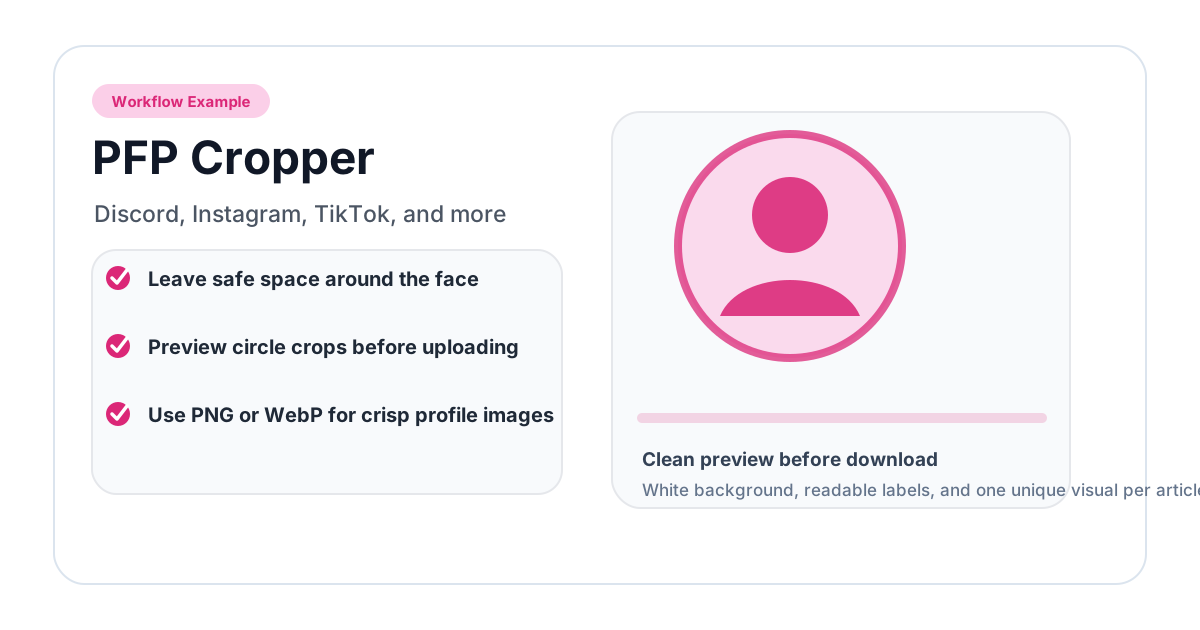
This guide covers how to crop PFPs for Discord, Instagram, TikTok, YouTube, LinkedIn, X, and other platforms.
What a PFP Cropper Should Do
A useful PFP cropper should provide more than a basic square crop. It should let you:
- preview the final circular shape;
- reposition the image inside the circle;
- zoom or resize the crop area;
- export a clean PNG;
- choose platform-friendly dimensions;
- avoid watermarks and forced signup.
The PFP Cropper is designed around this workflow. The regular Circle Crop Image tool works well for general circular crops, while the PFP tool is better when you want social platform presets.
Recommended PFP Sizes
| Platform | Practical upload size | Display shape | Notes |
|---|---|---|---|
| Discord | 512 x 512 or 256 x 256 | Circle | Simple, high-contrast images work best |
| 320 x 320 or larger | Circle | Displayed very small in many places | |
| TikTok | 200 x 200 or larger | Circle | Face or logo should be bold |
| YouTube | 800 x 800 | Circle | Channel icon appears across many surfaces |
| 400 x 400 or 800 x 800 | Circle | Use professional headshot framing | |
| X / Twitter | 400 x 400 | Circle | Avoid small text and thin lines |
| 400 x 400 or larger | Circle | Cropped differently across contexts | |
| Twitch | 256 x 256 or larger | Circle | Works well with illustrated avatars |
Exact display sizes change across devices, but uploading a clean square image with a well-framed circular subject is still the safest approach.
How to Crop a PFP for Discord
Discord profile pictures appear very small in chat lists, member lists, and message threads. Fine details disappear quickly.
Use this workflow:
- Open the PFP Cropper.
- Upload a clear photo, logo, or avatar.
- Choose a Discord-friendly preset if available.
- Center the face or main symbol.
- Leave enough margin so the subject does not touch the circle edge.
- Download the result and upload it in Discord settings.
For Discord, bold shapes usually work better than full-body photos. If you use text, keep it extremely short. Most text becomes unreadable at small PFP sizes.
How to Crop a PFP for Instagram
Instagram stores profile photos larger than it displays them. The visible profile picture is small on mobile, so clarity matters more than tiny detail.
Good Instagram PFPs usually have:
- a close face crop or simple logo;
- high contrast between subject and background;
- no important detail near the circular edge;
- a source image at least 320 x 320 pixels.
If you are using a brand logo, test it at small size before uploading. Thin lettering and detailed marks often need more padding.
How to Crop a PFP for TikTok
TikTok profile pictures compete with busy video thumbnails and fast scrolling. Use a bright, simple image. Faces should be closer than they would be on LinkedIn. If you use a logo, consider a simplified mark rather than a full wordmark.
How to Crop a PFP for LinkedIn
LinkedIn profile pictures need a different style. The goal is recognizability and professionalism, not decoration. Use a clear headshot, keep your eyes visible, and avoid extreme filters. Leave some shoulder area so the image does not feel like a passport photo.
How to Crop a PFP for YouTube
YouTube channel icons are displayed in many places: channel pages, comments, subscription lists, and search results. Upload a large square image, ideally 800 x 800. If you are using a logo, center the symbol and keep text away from the edge.
Why Built-In Platform Croppers Are Not Enough
Most platforms include a cropper, but they are not ideal:
- the preview may show a square even though the display is circular;
- compression can make a good image look soft;
- repositioning controls are limited on mobile;
- you cannot download the final transparent PNG;
- each platform behaves differently.
Cropping first gives you a master version that can be reused.
PFP Framing Checklist
Before uploading, ask:
- Can I recognize the subject at 48 x 48 pixels?
- Is there enough margin around hair, glasses, or the logo?
- Does the image work on both light and dark backgrounds?
- Is the crop consistent with the account's tone?
- Did I keep the original full-size image?
Common Mistakes
Cropping too close
The most common mistake is cutting the face or logo too tightly. Platforms may apply another circular mask, which can remove even more.
Using a busy background
Background clutter stays inside the circle. Choose a cleaner crop or blur the background first.
Uploading a tiny source image
If the original is small, the platform compression will make it worse. Start with a larger source.
Depending on text
Text rarely works inside small profile pictures unless it is a single large letter or simple monogram.
Related Tools
- PFP Cropper for platform presets.
- Circle Crop Image for general transparent PNG circle crops.
- Profile Picture Size Guide for more platform dimensions.
Choosing One Master PFP
If you manage several social accounts, create one master PFP first. Start with a large square source image, crop it with a circular preview, and save a high-quality version. From that master file, create smaller copies for individual platforms.
This prevents a common problem: downloading a compressed profile photo from one platform, then uploading that already-compressed image somewhere else. Each round of platform compression makes the image softer. Always go back to the original source or the clean master crop.
Face, Logo, and Avatar Differences
A face crop should prioritize eye contact and expression. A logo crop should prioritize padding and shape recognition. An illustrated avatar should prioritize silhouette. These are different decisions:
- For faces, avoid cutting hair, chin, or glasses.
- For logos, avoid full wordmarks unless the text is very short.
- For illustrated avatars, test the silhouette at chat-message size.
- For gaming profiles, high contrast usually beats subtle detail.
- For professional profiles, consistent lighting matters more than visual effects.
Final Upload Checklist
Before changing your profile picture, preview it at small size. Check it against the background where people will see it: Discord dark mode, Instagram profile page, LinkedIn feed, or YouTube comments. A PFP is not just an image file; it is a tiny identity mark that has to work in several crowded interfaces.
If you are changing a brand profile, update every platform from the same prepared file on the same day. Mixed old and new avatars can make accounts look abandoned or unofficial. If you are changing a personal profile, keep the old version until the new one has been tested on mobile and desktop.
Related image editing guides
PNG vs JPG vs WebP: Which Image Format Should You Use?
Understand the differences between PNG, JPG, and WebP image formats. Learn when to use each format for web design, social media, printing, and more.
Read guideHow to Blur an Image Online for Free (Full & Partial Blur Guide)
Learn how to blur an image online for free. Apply full blur, background blur, or blur specific areas to protect privacy or create depth effects.
Read guideHow to Flip an Image Online: Mirror Horizontally or Vertically
Learn how to flip an image horizontally or vertically online for free. Mirror any photo instantly — no software installation or signup required.
Read guide