Profile Picture Size Guide 2025: Every Platform in One Place
Every platform has different profile picture requirements. Some recommend 400 x 400 pixels, some store larger images, and many display the final image as a circle even when the upload box is square. Using the wrong size can make your profile picture look blurry, awkwardly cropped, or inconsistent across platforms.
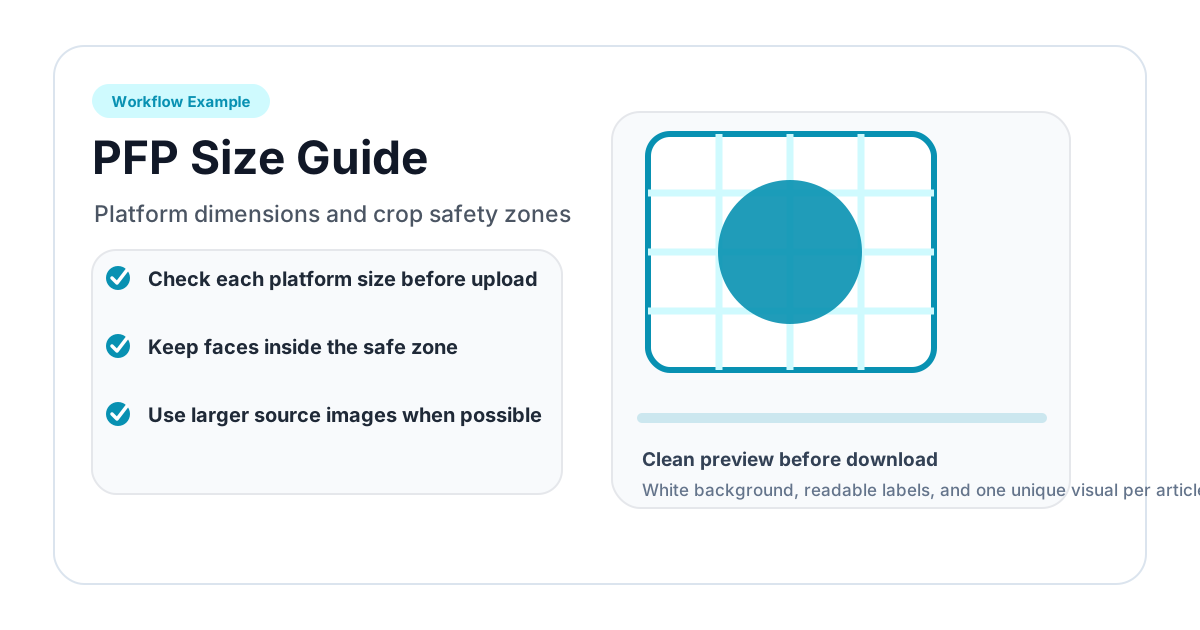
This guide gives practical upload sizes and framing advice for social media, messaging apps, creator platforms, and work tools.
Quick Recommendation
If you only want one reusable profile picture, create a square 800 x 800 PNG or JPG with the subject safely centered for a circular crop. For platforms that show circular avatars, preview the image with Circle Crop Image or PFP Cropper before uploading.
For logos or avatars that need transparent corners in other designs, keep a transparent PNG version too.
Social Media Platforms
| Platform | Recommended upload | Display shape | Practical note |
|---|---|---|---|
| 320 x 320 or larger | Circle | Use simple close-up framing | |
| 400 x 400 or larger | Circle | Display size varies by context | |
| X / Twitter | 400 x 400 | Circle | Avoid small text |
| 400 x 400 to 800 x 800 | Circle | Professional headshot works best | |
| TikTok | 200 x 200 or larger | Circle | High contrast helps recognition |
| YouTube | 800 x 800 | Circle | Best for channel icons |
| 400 x 400 | Circle | Simple logos and portraits work well | |
| Twitch | 256 x 256 or larger | Circle | Illustrated avatars work well |
Instagram displays profile pictures at small sizes in the app, so details disappear quickly. Use a close face crop or a simple brand mark. If your logo includes text, test it at small size before uploading.
LinkedIn photos appear in messages, feeds, search results, and profile pages. Use a clear headshot with a calm background. Avoid extreme filters and overly tight crops. A little shoulder area makes the image feel more natural.
YouTube
YouTube channel icons can appear larger than many social avatars, but they are also shown tiny in comments and subscription lists. Upload 800 x 800 when possible. If using a logo, choose a simplified mark rather than a detailed wordmark.
Messaging and Community Apps
| Platform | Recommended upload | Display shape | Practical note |
|---|---|---|---|
| Discord | 512 x 512 or 256 x 256 | Circle | Bold and simple is best |
| 500 x 500 | Circle | Compression can be strong | |
| Telegram | 512 x 512 | Circle | Supports multiple profile photos |
| Slack | 512 x 512 | Circle | Works best with clear headshots |
| Microsoft Teams | 400 x 400 or larger | Circle | Use professional framing |
| Zoom | 256 x 256 or larger | Circle | Clear face crop is enough |
Discord
Discord displays avatars very small in chat. Detailed photos can become unreadable. Use a close crop, high contrast, and a simple background. If the image is a logo or illustration, avoid thin lines.
Slack and Teams
For work apps, consistency matters. If a company is preparing profile photos for a whole team, crop all headshots with the same face size and shoulder spacing.
Creator and Developer Platforms
| Platform | Recommended upload | Display shape | Practical note |
|---|---|---|---|
| GitHub | 460 x 460 or larger | Circle | Simple headshot or logo |
| GitLab | 400 x 400 or larger | Circle | Avoid tiny text |
| Product Hunt | 400 x 400 or larger | Circle | Logo padding matters |
| Indie Hackers | 400 x 400 or larger | Circle | Face or brand mark should be centered |
| Medium | 400 x 400 or larger | Circle | Author headshots need clean backgrounds |
| Substack | 400 x 400 or larger | Circle | Works best with simple portraits |
Developer and creator profiles often reuse the same image across many directories. Create a master circular preview first, then upload the square source or transparent PNG depending on the platform.
How to Prepare One Image for Many Platforms
- Start with a high-resolution square image, ideally 1000 x 1000 or larger.
- Use Circle Crop Image to preview the circular mask.
- Keep the face, logo, or avatar away from the edge.
- Export a transparent PNG for places where transparency matters.
- Keep a square JPG or PNG version for platforms that require square uploads.
- Test the image at thumbnail size before using it everywhere.
Circle Crop Safety Zone
The safest profile image has a clear subject inside the center 70-80% of the square. The outer ring should be treated as a safety zone. Platforms may crop, compress, or add overlays near the edge.
For faces, keep eyes clearly visible and leave space above the head. For logos, leave padding around the full mark. For illustrated avatars, make sure the silhouette still reads at small size.
PNG or JPG?
Use JPG for normal photo uploads when the platform only accepts rectangular or square images. Use PNG when:
- transparency matters;
- the image is a logo or graphic;
- you need clean edges;
- you plan to place the image on a website or slide.
For profile platforms that compress aggressively, a high-quality JPG can be fine. For design assets and transparent circle crops, PNG is safer.
Common Profile Picture Problems
The image looks blurry
The source image may be too small, or the platform compressed it heavily. Upload a larger square image.
The crop cuts off the head
The subject was too close to the edge. Re-crop with more margin.
The logo looks tiny
The logo may have too much whitespace in the source file. Crop closer, but still leave enough padding for circular masks.
The transparent image shows a white square
The file was probably converted to JPG or flattened by another editor. Keep the PNG version.
Related Tools
- PFP Cropper for social platform presets.
- Circle Crop Image for transparent circular PNG output.
- Square Crop Image for platforms that require square uploads.
- PNG vs JPG vs WebP guide for choosing output formats.
One-Size Strategy for Most Users
If you do not want to manage separate files for every platform, create one 800 x 800 master image. Keep the subject inside a safe central circle, leave margin around the edge, and export a clean PNG or high-quality JPG. This size is large enough for most profile systems and small enough to upload quickly.
For business or creator accounts, also keep a transparent PNG version of the circular crop. That version is useful for websites, press kits, slide decks, email signatures, and directory listings where the image may sit on non-white backgrounds.
Team and Brand Consistency
When preparing multiple profile pictures, consistency is more important than exact platform dimensions. Use the same crop style across the set:
- same head size for people;
- same logo padding for brands;
- same output dimensions;
- similar background brightness;
- similar distance from the circle edge.
A team page with consistent 600 x 600 circular headshots will usually look better than a page where every photo uses a different crop, even if each individual photo is technically acceptable.
Maintenance Notes
Platform recommendations change over time. Treat the numbers in this guide as practical upload targets rather than permanent rules. The safest habit is to keep a high-resolution source image and re-export when a platform changes its requirements. If a platform preview looks wrong, fix the crop before saving the profile update.
Related image editing guides
PNG vs JPG vs WebP: Which Image Format Should You Use?
Understand the differences between PNG, JPG, and WebP image formats. Learn when to use each format for web design, social media, printing, and more.
Read guideHow to Blur an Image Online for Free (Full & Partial Blur Guide)
Learn how to blur an image online for free. Apply full blur, background blur, or blur specific areas to protect privacy or create depth effects.
Read guideHow to Flip an Image Online: Mirror Horizontally or Vertically
Learn how to flip an image horizontally or vertically online for free. Mirror any photo instantly — no software installation or signup required.
Read guide